Deploy Garnet
Make sure you have all the prerequisites to deploy Garnet. See prerequisites.
The source code of Garnet is available on the Garnet GitHub repository. This repository contains an AWS CDK application that enables you to deploy and provision the Garnet stack code and its supporting infrastructure to your AWS account with only few lines of command using AWS CDK.
By default, the API is protected with a token-based authentication. This is suitable for development and testing but before using in production, please consider implementing a more robust mechanism for controlling and managing access to this API.
The first step is to clone the Garnet GitHub repository on your development machine.
Clone the repository
This repository contains an AWS CDK application that enables you to deploy the Garnet stack. The Garnet stack consists of multiple nested stacks including a stack to deploy an NGSI-LD Context Broker (using our customized version of the Scorpio implementation) and supporting infrastructure for data ingestion and processing.
Type in your terminal the following command to clone the Garnet repository:
git clone https://github.com/awslabs/garnet-framework.git
This will create a folder garnet-framework.
Install the libraries
Navigate into the garnet-framework folder and install the required libraries:
cd garnet-framework/
npm install
You are almost ready to deploy Garnet. Yet few things to check.
Configure Garnet
You can configure the Garnet deployment to match your needs through the configuration.ts file. Key configuration options include:
- AWS Region: Select the AWS region for deployment
- Architecture: Choose between Concentrated or Distributed architecture
- Authorization: Enable or disable token-based API authorization (enabled by default)
import { ARCHITECTURE } from "./architecture"

export const Parameters = {
    aws_region: "us-east-1",
    architecture: ARCHITECTURE.Concentrated,
    authorization: true
}
The deployment uses our customized version of the Scorpio Context Broker from the Amazon ECR Public Gallery. You can specify which version to use by modifying the garnet_scorpio_version in the constants.ts file.
Understanding Architecture Options
Garnet Framework offers two architectural approaches to match different deployment needs: Concentrated and Distributed.
The Concentrated architecture consolidates all services into a single container, making it ideal for development, testing, and smaller-scale deployments. This architecture simplifies the deployment process and reduces resource usage while still providing all Garnet capabilities. It's perfect for teams getting started with Garnet or building proof-of-concept applications.
The Distributed architecture, on the other hand, splits functionality across eight specialized microservices, each optimized for specific tasks like entity management, query processing, and subscription handling. This separation enables independent scaling of different components based on your workload patterns. For instance, if your application heavily uses temporal queries, you can allocate more resources to the history query manager without affecting other services. It is a useful starting point for production-oriented evaluation where scalability and performance matter, but selecting it does not make a deployment production-ready by itself. Security, availability, observability, recovery, load testing, and operational ownership still need to be designed and validated for your environment.
Both architectures can be fine-tuned through the architecture.ts file, where you can adjust parameters like container resources, autoscaling settings, and database configurations to match your specific requirements.
Deploy Garnet
If this is the first time you use AWS CDK for this AWS account and region, you will first need to bootstrap your environment. This is a one-time operation that creates the resources necessary to allow CDK deployments in your AWS account to a given region.
cdk bootstrap
Once the configuration checked and your environment bootstrapped, you can deploy Garnet to your AWS account using the following commands:
cdk deploy
The deployment of Garnet can take up to an hour. While waiting, review the Understanding NGSI-LD and How to use Garnet documentation.
Garnet Deployment Outputs
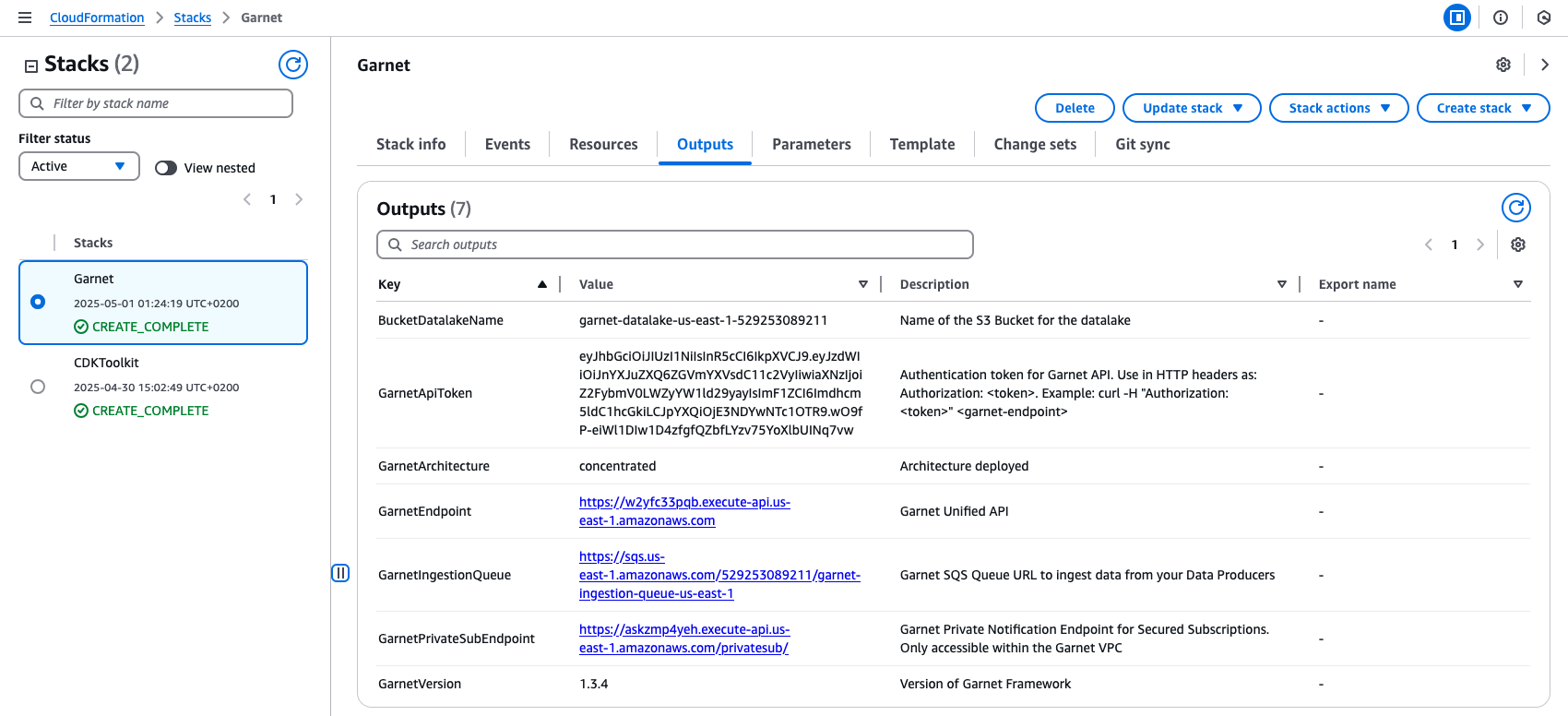
Upon successful deployment, Garnet provides a set of essential resources and endpoints necessary for building and operating your smart solutions. These outputs are available both in the CDK deployment output and the AWS CloudFormation console:
-
GarnetEndpoint: The unified API endpoint for NGSI-LD operations, serving as your primary interface for interacting with the Context Broker
-
GarnetApiToken: Authentication token required for API access, ensuring secure communication with your Garnet deployment (see usage example below)
-
GarnetIngestionQueue: SQS Queue URL for data ingestion, enabling efficient batch processing and reliable data updates to your knowledge graph
-
GarnetPrivateSubEndpoint: A secure endpoint for subscription notifications that publishes to AWS IoT Core MQTT topics, accessible only within the Garnet VPC
-
GarnetArchitecture: Indicates your deployed architecture type (distributed/concentrated), helpful for operational reference
-
BucketDatalakeName: Name of the S3 bucket where your knowledge graph historical data is automatically preserved
-
GarnetVersion: The version of Garnet Framework deployed, important for tracking compatibility and available features
Example of querying all Building entities using the API token:
curl -H "Authorization: <GarnetApiToken>" <GarnetEndpoint>/ngsi-ld/v1/entities?type=Building

You can also find these outputs in the AWS CloudFormation console in the Outputs tab after selecting the Garnet Stack.
Monitoring with Garnet Ops
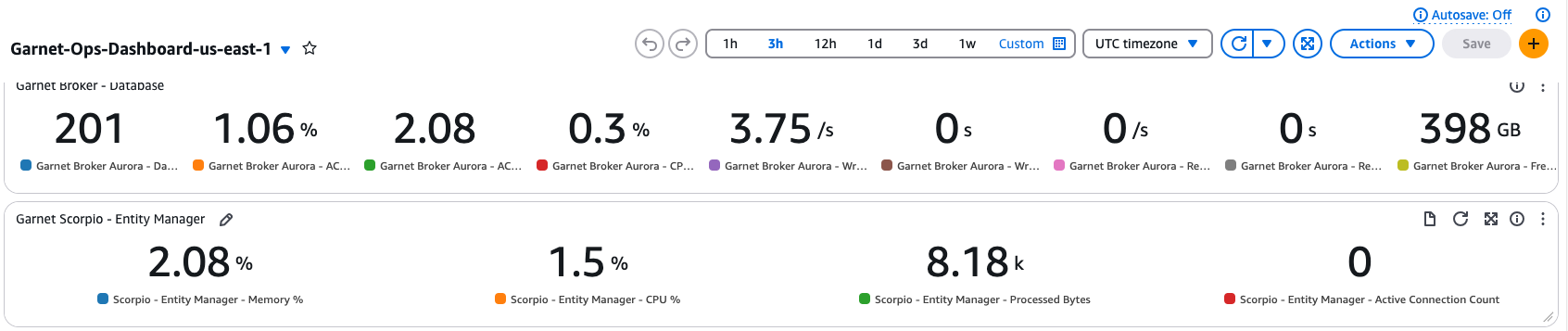
An Amazon CloudWatch dashboard named Garnet-Ops-Dashboard-{Region} is automatically created with your deployment. This comprehensive dashboard helps you monitor the health and performance of your Garnet infrastructure. It provides visibility into your container health and performance metrics, SQS queue processing statistics, and database metrics, helping you ensure optimal operation of your deployment.
Next Steps
Voilà! You have successfully deployed Garnet Framework and configured your monitoring capabilities. In the next section, you'll dive into NGSI-LD, understanding its information model and API capabilities. This knowledge will be essential as you begin building context-aware applications using features like geospatial queries and real-time subscriptions.